 Пенные тампоны для чистых помещений, полиэфирные тампоны, Производитель комплектов для чистки принтера | Медитек
В мире карточной печати, Принтеры Evolis известны своей надежностью., универсальность, и исключительное качество печати. Используется ли для изготовления удостоверений личности, бейджи доступа, или карты лояльности, эти принтеры являются незаменимыми инструментами в различных отраслях промышленности.. Однако, как любое механическое устройство, Принтеры Evolis требуют регулярного обслуживания, чтобы обеспечить их оптимальную работу.. Одним из наиболее важных аспектов технического обслуживания является поддержание чистоты оборудования.. В этой статье, мы рассмотрим важность чистоты при обслуживании принтеров Evolis и дадим практические советы по обеспечению их долговечности..
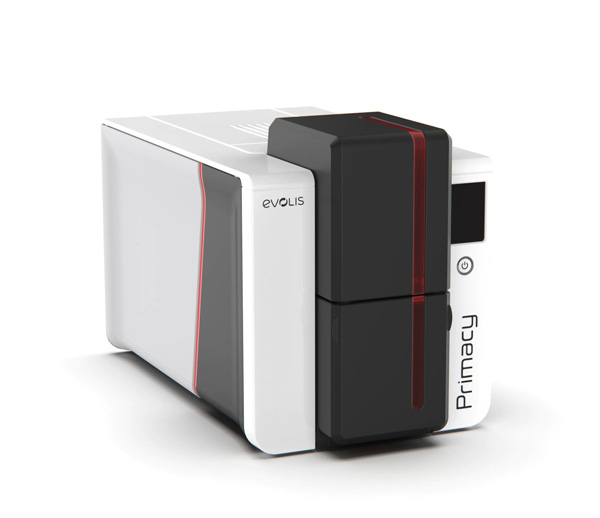
Понимание важности чистоты
Чистота имеет первостепенное значение для поддержания оптимальной производительности принтеров Evolis.. Пыль, обломки, и остатки чернил могут накапливаться с течением времени, приводит к проблемам с качеством печати, механические неисправности, и даже необратимое повреждение компонентов. Поддерживая принтер в чистоте, вы не только сохраните его эстетическую привлекательность, но и продлите срок его службы и уменьшите вероятность дорогостоящего ремонта или замены..
Основные советы по чистке принтеров Evolis:
- Регулярное вытирание пыли: Начните с очистки внешних поверхностей принтера мягкой тряпкой., безворсовая ткань или мягкая кисть. Обратите особое внимание на вентиляционные отверстия, отверстия, и щели, где скапливается пыль. Удаление пыли предотвращает ее попадание во внутренние механизмы принтера., минимизация риска засорения и перегрева.
- Очистка печатающей головки: Печатающая головка — это важнейший компонент принтера, отвечающий за перенос чернил на карты.. Через некоторое время, остатки чернил и мусор могут скапливаться на печатающей головке, влияет на качество печати. Следуйте рекомендациям производителя по очистке печатающей головки с помощью специальных чистящих тампонов или карточек.. Будьте осторожны, но тщательны, чтобы обеспечить оптимальную работу печатающей головки..
- Очистка пути прохождения карты: Осмотрите путь карты на наличие мусора или препятствий, которые могут препятствовать прохождению карты через принтер.. Используйте чистящая карта или мягкую ткань, смоченную изопропиловым спиртом, чтобы удалить грязь и остатки с пути прохождения карты., валки, и гиды. Прежде чем возобновить печать, убедитесь, что путь прохождения карты полностью высох, чтобы предотвратить повреждение карт или внутренних компонентов..
- Уборка салона: Периодически открывайте крышку принтера, чтобы получить доступ к внутренним компонентам.. Используйте сжатый воздух или мягкую щетку, чтобы аккуратно удалить пыль и мусор из внутренних механизмов., включая карточную транспортную систему, валки, и датчики. Избегайте использования абразивных материалов или чрезмерной силы., так как это может повредить хрупкие компоненты.
- График технического обслуживания: Соблюдайте график регулярного технического обслуживания для очистки вашего принтера Evolis.. В зависимости от использования и условий окружающей среды, это может варьироваться от еженедельных до ежемесячных интервалов. Документируйте свои действия по очистке и постоянно соблюдайте график, чтобы принтер оставался в оптимальном состоянии..
В заключение, правильное обслуживание, особая чистота, необходим для сохранения производительности и долговечности принтеров Evolis.. Включив регулярную очистку в программу технического обслуживания и следуя рекомендациям производителя., вы можете быть уверены, что ваш принтер продолжит надежно печатать высококачественные отпечатки. Помнить, чистый принтер – это счастливый принтер, который будет хорошо служить вашей организации долгие годы..