 Foam-wattenstaafjes voor cleanrooms, Polyester wattenstaafjes, Fabrikant van printerreinigingssets | MediTech
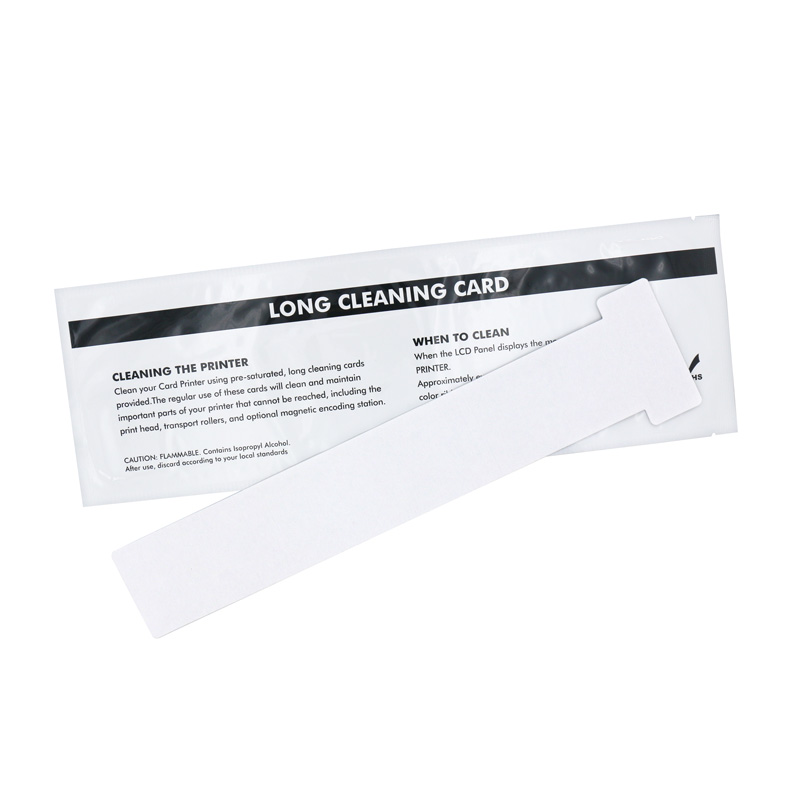
Het onderhouden van een kaartprinter is van cruciaal belang om de kwaliteit en levensduur van uw gedrukte kaarten te garanderen. Een van de eenvoudigste maar meest effectieve hulpmiddelen hiervoor is een reinigingskaart. Of u nu een kleine ondernemer bent, een bedrijfsadministrateur, of een ID-kaartliefhebber, Als u weet hoe u een reinigingskaart op de juiste manier gebruikt, kunt u tijd en geld besparen terwijl uw kaartprinter in optimale staat blijft.
Het belang van reinigingskaarten begrijpen
Na een tijdje, stof, brokstukken, en resten van afdrukmateriaal kunnen zich ophopen op de interne componenten van de printer, waardoor de afdrukkwaliteit afneemt, frequente storingen, en zelfs blijvende schade. Door regelmatig een reinigingskaart te gebruiken, U kunt deze problemen voorkomen en ervoor zorgen dat uw printer soepel en efficiënt werkt.
Het kiezen van de juiste schoonmaakkaart
Niet alle schoonmaakkaarten zijn gelijk gemaakt, het is dus van cruciaal belang om de juiste te selecteren voor uw kaartprintermodel. Fabrikanten leveren doorgaans compatibele reinigingskits of -kaarten die speciaal voor hun printers zijn ontworpen. Deze kits bevatten vaak reinigingskaarten, wattenstaafjes, en instructies die zijn afgestemd op de onderhoudsvereisten van uw apparaat. Als u een compatibele reinigingskaart gebruikt, minimaliseert u het risico op schade aan uw printer en maximaliseert u de doeltreffendheid van de reiniging.
Stapsgewijze handleiding voor het gebruik van een reinigingskaart
- Bereid uw printer voor: Voordat u begint met het reinigingsproces, Schakel de printer uit en haal de stekker uit het stopcontact om ongelukken of schade te voorkomen.
- Toegang tot het reinigingsmechanisme van de printer: Raadpleeg de gebruikershandleiding van uw printer om het reinigingsmechanisme of het kaartpad te vinden. In de meeste gevallen, dit omvat het openen van een paneel of toegangsdeur om de interne componenten van de printer bloot te leggen.
- Plaats de reinigingskaart: Haal de reinigingskaart uit de verpakking en plaats deze voorzichtig in het daarvoor bestemde kaartpad of de daarvoor bestemde sleuf, zoals aangegeven door de fabrikant.
- Voer de reinigingscyclus uit: Zodra de reinigingskaart correct is geplaatst, volg de instructies van de printer om de reinigingscyclus te starten. Dit proces omvat meestal het indrukken van een knop of het selecteren van een reinigingsoptie in het menu van de printer.
- Gooi de gebruikte reinigingskaart weg: Nadat de reinigingscyclus is voltooid, verwijder de reinigingskaart uit de printer en gooi deze weg volgens de plaatselijke regelgeving voor afvalverwerking.
- Voer regelmatig onderhoud uit: Herhaal het reinigingsproces met regelmatige tussenpozen, zoals aanbevolen door de fabrikant van de printer, of telkens wanneer de afdrukkwaliteit begint te verslechteren.
Tips voor optimale schoonmaakresultaten
- Vermijd hergebruik van reinigingskaarten: Het gebruik van een nieuwe reinigingskaart voor elke reinigingscyclus zorgt voor maximale effectiviteit en voorkomt de overdracht van verontreinigingen naar de onderdelen van de printer.
- Volg de instructies van de fabrikant: Raadpleeg altijd de gebruikershandleiding van de printer en de instructies die bij de reinigingskaartset zijn geleverd om correct gebruik te garanderen en schade aan uw apparaat te voorkomen.
- Plan regelmatige schoonmaakbeurten: Stel een routineonderhoudsschema op om ervoor te zorgen dat uw kaartprinter soepel blijft werken en mogelijke problemen te voorkomen voordat ze zich voordoen.
Als professionele fabrikant van cleanroomverbruiksartikelen, MediTech biedt een verscheidenheid aan printerreinigingskaarten, als je geïnteresseerd bent, Contacteer ons alsjeblieft. of klik op de onderstaande link voor meer informatie:https://www.meditechswab.com/product-category/cleaning-card/