 Sữa gạc bọt, Polyester Swabs, Nhà sản xuất bộ dụng cụ vệ sinh máy in – MediTech
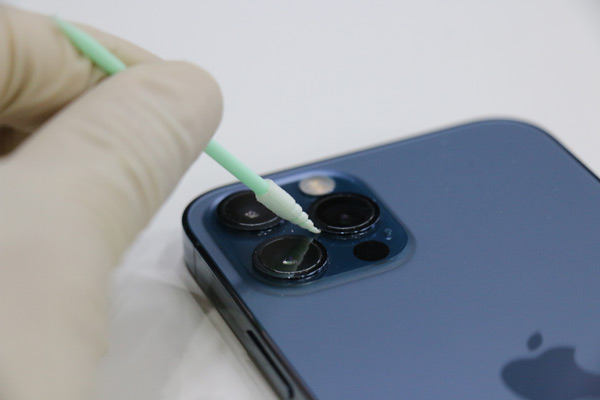
Trong thời đại kỹ thuật số ngày nay, smartphones have become an integral part of our lives, accompanying us everywhere we go. With constant usage and exposure to various environments, our phones often accumulate dirt, bacteria, and smudges on their surfaces. Regularly cleaning your phone not only keeps it looking pristine but also helps maintain its performance and longevity. Trong bài viết này, we will guide you through a step-by-step process on how to effectively clean your phone without causing any damage.
Bước chân 1: Power Off and Disconnect
Before cleaning your phone, it is crucial to power it off completely and unplug any charging cables or accessories. This ensures your safety and prevents any potential damage to the device.
Bước chân 2: Thu thập các nguồn cung cấp cần thiết
Before you start cleaning your phone, Thu thập các nguồn cung cấp sau:
- Microfiber cloth
- Rượu isopropyl (70% concentration or higher), or isopropyl alcohol wipes
- Gạc làm sạch
- Distilled water (For diluting the alcohol if needed)
- Bình chứa khí nén (không bắt buộc)
Bước chân 3: Wipe Down the Exterior
Using a microfiber cloth, gently wipe the exterior of your phone to remove any visible dirt, nhòe, or fingerprints. Ensure the cloth is clean and dry. Avoid using abrasive materials or paper towels, as they can potentially scratch the screen or damage the phone’s finish.
Bước chân 4: Clean the Screen
Dampen a corner of the microfiber cloth with a small amount of isopropyl alcohol. Gently wipe the screen in a circular motion, applying minimal pressure. Avoid excessive moisture, as it may seep into the phone’s openings. If the alcohol is too strong, dilute it with distilled water. Do not spray the solution directly onto the screen to prevent any liquid from entering the device.
Bước chân 5: Cleaning Ports and Openings
Use a dry cotton swab to clean the charging port, headphone jack, and speaker grills. If there is visible debris, use a compressed air canister to blow it out gently. Be cautious not to apply excessive pressure or insert the swab too deep, as it may damage the internal components.
Bước chân 6: Để nó khô
Sau khi dọn dẹp, ensure your phone is completely dry before turning it back on or reattaching any accessories. This prevents any potential damage caused by residual moisture.