 Sữa gạc bọt, Polyester Swabs, Nhà sản xuất bộ dụng cụ vệ sinh máy in – MediTech
Trong thời điểm lan truyền COVID-19, Điều quan trọng là phải vệ sinh an toàn màn hình cảm ứng của bạn để loại bỏ dầu, chất bẩn, bụi bẩn và vi trùng. Chúng ta sẽ điểm qua một số loại màn hình cảm ứng kiosk phổ biến nhất: màn hình cảm ứng né tránh, màn hình cảm ứng điện dung.
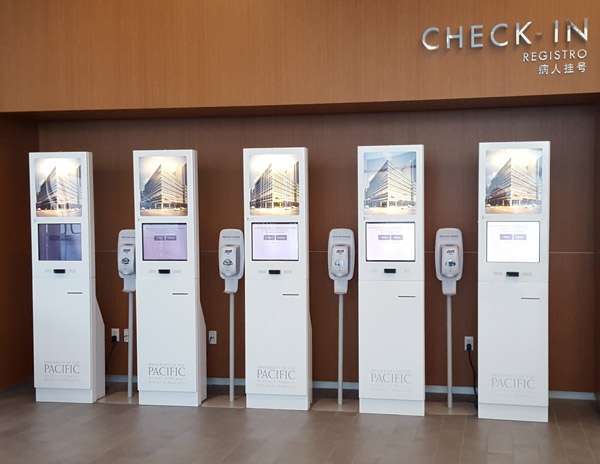
Các bước làm sạch là:
- Sử dụng vải mềm không xơ, such as a microfiber cloth.
- The cloth may be used dry, or lightly dampened with a mild cleaner. Ví dụ, you can use a mild soap and water solution, Một 50% isopropyl alcohol mixed in 50% water solution or a disinfectant product such as Meditech.
- Be sure the cloth is only slightly dampened, not wet. Never apply cleaner directly to the touch panel surface; if the cleaner is spilled onto the touch panel, soak it up immediately with an absorbent cloth.
- The cleaner must be neither acid nor alkali (neutral pH). A small amount of hand sanitizer can work.
- When using cleaner, avoid contact with the edges of the film or glass.
- Wipe the surface gently; if there is a directional surface texture, wipe in the same direction as the texture. If not, gently wipe in in small circles,
- Never use acidic or alkaline cleaners, or organic chemicals such as paint thinner, acetone, toluene, xylene, propy, isopropyl alcohol or kerosene.
- Use of incorrect cleaners can result in optical impairment of touch panel and/or damage to functionality.
- Make sure that all of the cleaning solution is off of the screen after it has been cleaned. If you leave any, it can leave streaks or residue.