消息行業新聞

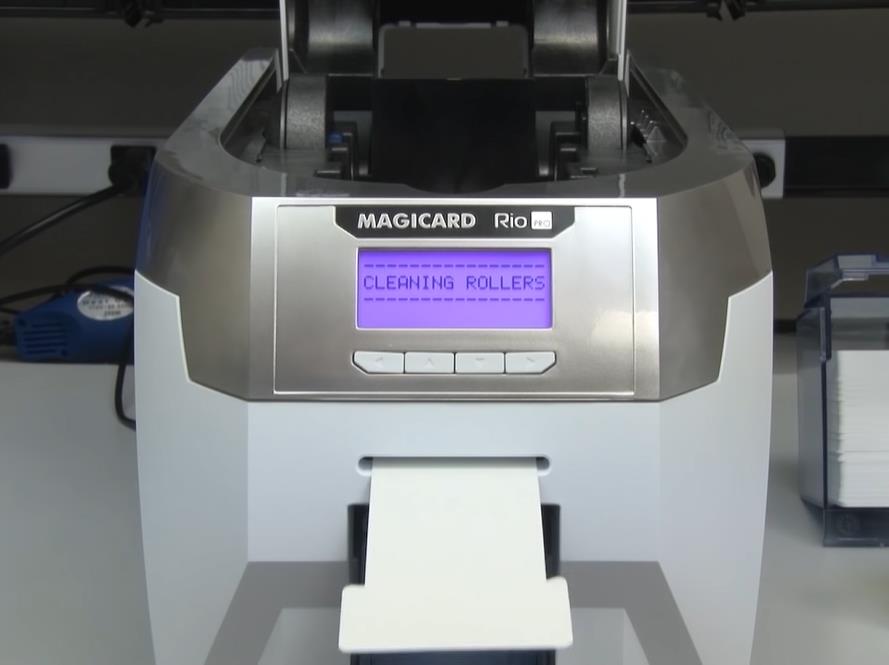
如何使用清潔卡清潔打印機

印表機清潔卡是保持印表機最佳效能的重要工具. 這是一種簡單有效的去除污垢的方法, 灰塵, and other debris that can accumulate on the printer’s print head, 滾筒, 和其他組件. 在本文中, we will guide you on how to use the printer cleaning card to ensure that your printer is always in top-notch condition.

步 1: Gather the necessary materials

在開始清潔程序之前, you need to gather the necessary materials. You will need a printer cleaning card, which you can purchase from any office supply store or online retailer. 醫療科技® is a factory specializing in the production of cleaning cards. Choose the correct cleaning card for your printer model to ensure the best results. You will also need a pair of clean, lint-free gloves to avoid leaving fingerprints on the printer components.

步 2: Turn off the printer

Before you start cleaning the printer, turn it off and unplug it from the power source. This will prevent any accidents and ensure that you don’t damage the printer while cleaning it.

步 3: Locate the printer’s cleaning card slot

Most printers have a designated cleaning card slot, which is usually located near the print head or the rollers. Refer to your printer’s user manual to locate the cleaning card slot.

步 4: 插入清潔卡

Once you have located the cleaning card slot, insert the cleaning card into the slot. Make sure that the card is inserted in the correct orientation, as indicated by the arrows on the card.

步 5: 運行清潔週期

插入清潔卡後, turn on the printer and run the cleaning cycle. This will activate the cleaning card and allow it to clean the printer’s components. The cleaning cycle may take a few minutes, depending on your printer’s model.

步 6: 取出清潔卡

清潔週期完成後, 從印表機的清潔卡插槽取出清潔卡. 正確處理清潔卡, 按照製造商的說明.

步 7: 測試印表機

清潔印表機後, 執行測試列印以確保印表機正常運作. 如果您發現任何問題, 重複清潔過程或聯絡專業印表機技術人員尋求協助.

綜上所述, 使用印表機清潔卡是保持印表機效能的簡單而有效的方法. 請依照上述步驟操作, 您可以確保您的印表機始終處於一流狀態, 以最短的停機時間生產高品質的印刷品. 請記得定期清潔印表機,以避免任何潛在問題並延長其使用壽命.

上一篇:

下一個:

發表評論

70 − 61 =
供電 數學驗證碼

留言

    + 59 = 62