 Écouvillons en mousse pour salle blanche, Écouvillons en polyester, Fabricant de kits de nettoyage d'imprimante – MédiTech
Après une utilisation prolongée, les imprimantes à jet d'encre peuvent accumuler de la saleté telle que de l'encre, poussière, et débris sur la tête d'impression, entraînant une baisse de la qualité d'impression. En utilisant un foam cleaning swab can effectively remove these impurities and improve print quality.
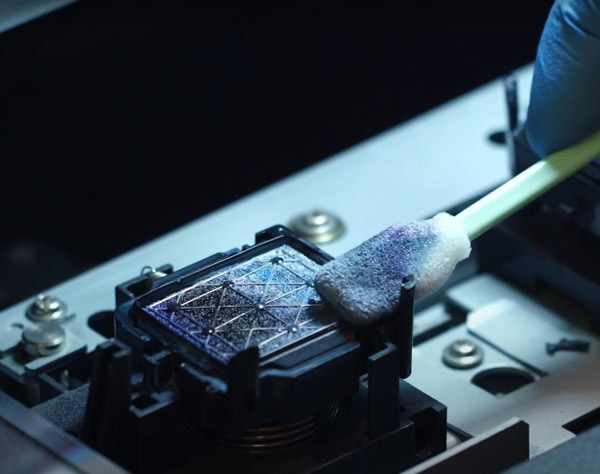
Here are the steps to clean an inkjet printer using a foam cleaning swab:
Turn off the printer and unplug the power cord. Locate the print head on the printer, being careful not to touch or move other components.
Take a clean foam cleaning swab and dip it in distilled water or a dedicated cleaning solution. Do not use pure water or alcohol-based solutions, as they may damage the print head.
Gently wipe the surface of the print head with the swab. Be careful not to apply too much pressure, as this may damage the print head. You can repeat this process several times until the print head surface is clean.
Use another cleaning swab to clean the ink and dust around the print head. S'il y a des taches tenaces, vous pouvez utiliser une solution de nettoyage dédiée ou du papier de nettoyage.
Attendez que la tête d'impression sèche complètement, puis réinsérez-le dans l'imprimante et allumez-le. Vérifiez si la qualité d'impression s'est améliorée.
Il est à noter que le nettoyage d'une imprimante jet d'encre nécessite un soin particulier, car une mauvaise opération peut endommager la tête d'impression. Si vous ne savez pas comment nettoyer correctement l'imprimante, reportez-vous au manuel d’utilisation de l’imprimante ou contactez le personnel d’assistance technique du fabricant.