 Sữa gạc bọt, Polyester Swabs, Nhà sản xuất bộ dụng cụ vệ sinh máy in – MediTech
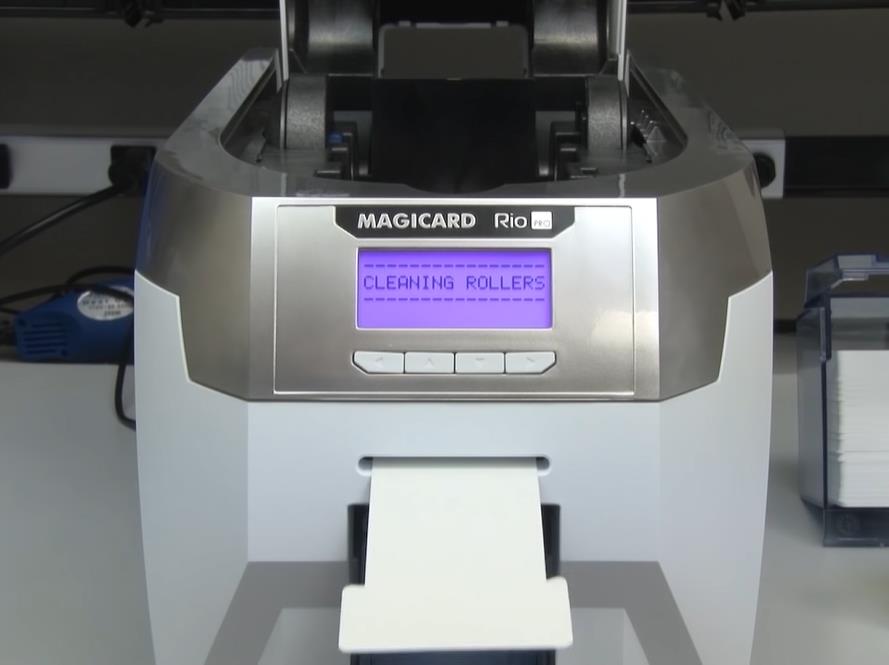
A printer cleaning card is an essential tool for maintaining the optimal performance of your printer. It is a simple and effective way to remove dirt, bụi, and other debris that can accumulate on the printer’s print head, con lăn, and other components. Trong bài viết này, we will guide you on how to use the printer cleaning card to ensure that your printer is always in top-notch condition.
Bước chân 1: Gather the necessary materials
Before you begin the cleaning process, you need to gather the necessary materials. You will need a printer cleaning card, which you can purchase from any office supply store or online retailer. MediTech® is a factory specializing in the production of cleaning cards. Choose the correct cleaning card for your printer model to ensure the best results. You will also need a pair of clean, lint-free gloves to avoid leaving fingerprints on the printer components.
Bước chân 2: Turn off the printer
Before you start cleaning the printer, turn it off and unplug it from the power source. This will prevent any accidents and ensure that you don’t damage the printer while cleaning it.
Bước chân 3: Locate the printer’s cleaning card slot
Most printers have a designated cleaning card slot, which is usually located near the print head or the rollers. Refer to your printer’s user manual to locate the cleaning card slot.
Bước chân 4: Chèn thẻ làm sạch
Once you have located the cleaning card slot, insert the cleaning card into the slot. Make sure that the card is inserted in the correct orientation, as indicated by the arrows on the card.
Bước chân 5: Run the cleaning cycle
Sau khi lắp thẻ vệ sinh vào, turn on the printer and run the cleaning cycle. This will activate the cleaning card and allow it to clean the printer’s components. The cleaning cycle may take a few minutes, depending on your printer’s model.
Bước chân 6: Tháo thẻ vệ sinh
Khi chu trình làm sạch hoàn tất, remove the cleaning card from the printer’s cleaning card slot. Dispose of the cleaning card properly, as per the manufacturer’s instructions.
Bước chân 7: Kiểm tra máy in
After cleaning the printer, run a test print to ensure that the printer is functioning correctly. If you notice any issues, repeat the cleaning process or contact a professional printer technician for assistance.
Kết luận, using a printer cleaning card is a simple and effective way to maintain your printer’s performance. By following the steps outlined above, you can ensure that your printer is always in top-notch condition, producing high-quality prints with minimal downtime. Remember to clean your printer regularly to avoid any potential issues and to prolong its lifespan.