 클린룸 폼 면봉, 폴리에스테르 면봉, 프린터 청소 키트 제조업체 | 메디텍
열전사 프린터는 영수증 인쇄에 널리 사용됩니다., 라벨, 티켓, 바코드, 선적 서류, 기타 비즈니스에 중요한 자료. 이러한 프린터는 종종 지속적으로 작동하기 때문에, 먼지, 종이 조각, 잉크 잔류 물, 기타 오염 물질은 용지 경로와 내부 구성 요소에 점차적으로 축적될 수 있습니다..
정기적인 유지 관리 thermal printer cleaning card can help remove these contaminants and keep the printer operating smoothly. For businesses that depend on consistent printing performance, using the right cleaning card is a simple way to support print quality and reduce avoidable maintenance issues.
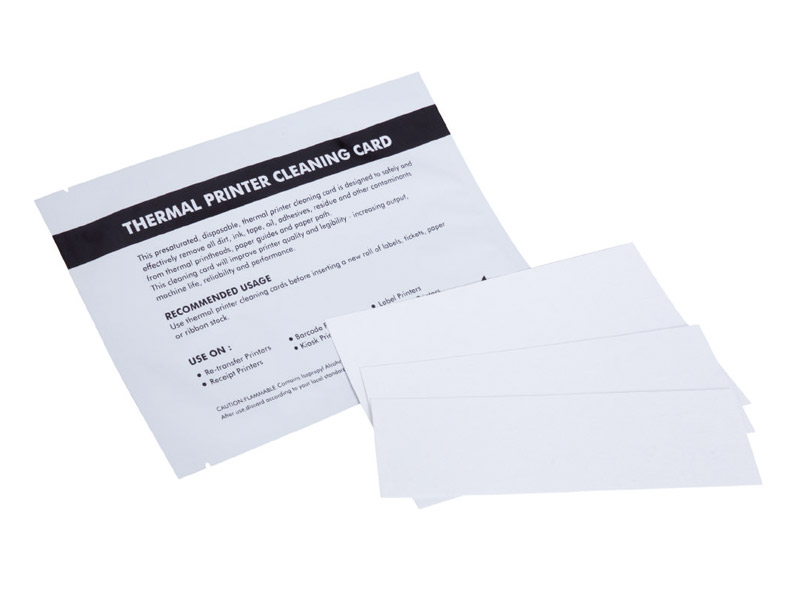
What Is a Thermal Printer Cleaning Card?
A thermal printer cleaning card is a specially designed cleaning tool that passes through the printer’s paper path to remove accumulated dirt and debris.
Unlike manual cleaning methods that may require opening the printer, a cleaning card provides a convenient preventive-maintenance approach. The card is inserted into the printer in a similar way to regular media and passed through the appropriate paper path.
Why Is Thermal Printer Cleaning Important?
Thermal printers can collect contaminants during normal operation. Paper particles, 먼지, and other residues may build up as printing volume increases.
Regular cleaning can help:
- Remove dirt and debris from the printer’s paper path
- Support consistent print quality
- Reduce contamination-related printing problems
- Maintain smoother printer operation
- Reduce unnecessary downtime
- Make routine preventative maintenance easier
For businesses operating multiple printers, incorporating cleaning cards into a regular maintenance schedule can also make printer care more consistent.
How Does a Thermal Printer Cleaning Card Work?
Using a cleaning card is straightforward.
1. Prepare the Printer
Follow the printer manufacturer’s maintenance instructions and remove any printing media as required.
2. 클리닝 카드 삽입
프린터의 작동 절차에 따라 클리닝 카드를 프린터의 용지 경로에 넣습니다..
3. 프린터를 통해 카드 실행
프린터 메커니즘이 카드를 통과하도록 허용. 카드가 용지 경로를 통해 이동함에 따라, 청소 표면이 관련 내부 영역과 접촉하여 축적된 오염 물질을 제거하는 데 도움이 됩니다..
4. 사용한 카드 제거 및 폐기
청소 주기가 끝난 후, 카드를 제거하고 적절하게 폐기하십시오.. 프린터를 정상 작동 상태로 되돌리기 전에 해당 표면을 건조시키십시오..
MediTech의 클리닝 카드는 빠른 작업을 위해 설계되었습니다., 광범위한 프린터 분해가 필요 없는 편리한 예방 유지 관리.
올바른 감열식 프린터 청소 카드를 선택하는 방법
클리닝카드 구매 전, 다음 요소를 고려하십시오:
프린터 유형
Determine whether the equipment is a direct thermal printer, thermal transfer printer, bill acceptor, 스캐너 확인, or another compatible device.
카드 크기
The card must be compatible with the printer’s paper path. MediTech provides multiple sizes, including 2″ × 4″, 2″ × 6″, and 4″ × 6″ formats.
세척액
For applications requiring solvent-based cleaning, a pre-saturated 99.9% IPA cleaning card provides a convenient ready-to-use option.
포장
Individually foil-packed cleaning cards help keep each card protected before use.
OEM/ODM Requirements
If you are a distributor or printer-maintenance supplier, private labeling, customized packaging, and product specifications may be important. MediTech provides OEM/ODM services for its cleaning card products.
Keep Your Thermal Printers Clean with MediTech
Regular preventive maintenance is an important part of maintaining reliable thermal printing equipment. A properly sized thermal printer cleaning card provides a simple way to help remove accumulated contaminants without complicated cleaning procedures.
Meditech 's 감열식 프린터 청소 카드 combines a compact PVC and non-woven construction with 99.9% IPA and individual foil packaging, providing a convenient solution for routine printer maintenance.
If you are looking for 열전사 프린터 청소 카드, IPA printer cleaning supplies, printhead cleaning tools, or customized OEM/ODM cleaning products, contact MediTech for product information, samples, and customized solutions.