 클린룸 폼 면봉, 폴리에스테르 면봉, 프린터 청소 키트 제조업체 | 메디텍
프린터는 사무실이나 가정에서 꼭 필요한 도구입니다.. 문서를 인쇄하는 데 도움이 됩니다., 사진, 그리고 다른 중요한 자료들. 하지만, 다른 장치와 마찬가지로, 프린터가 제대로 작동하려면 유지 관리가 필요합니다.. 가장 중요한 유지 관리 방법 중 하나는 프린터 청소입니다.. 프린터 청소 카드는 프린터를 청소하는 효과적인 방법입니다., 하지만 귀하의 프린터 모델에 적합한 제품을 선택하는 것은 어려울 수 있습니다. 이 기사에서는, 우리는 옳은 것을 선택하는 방법에 대해 논의할 것입니다 프린터 청소 카드 해당 프린터 모델에 대한.
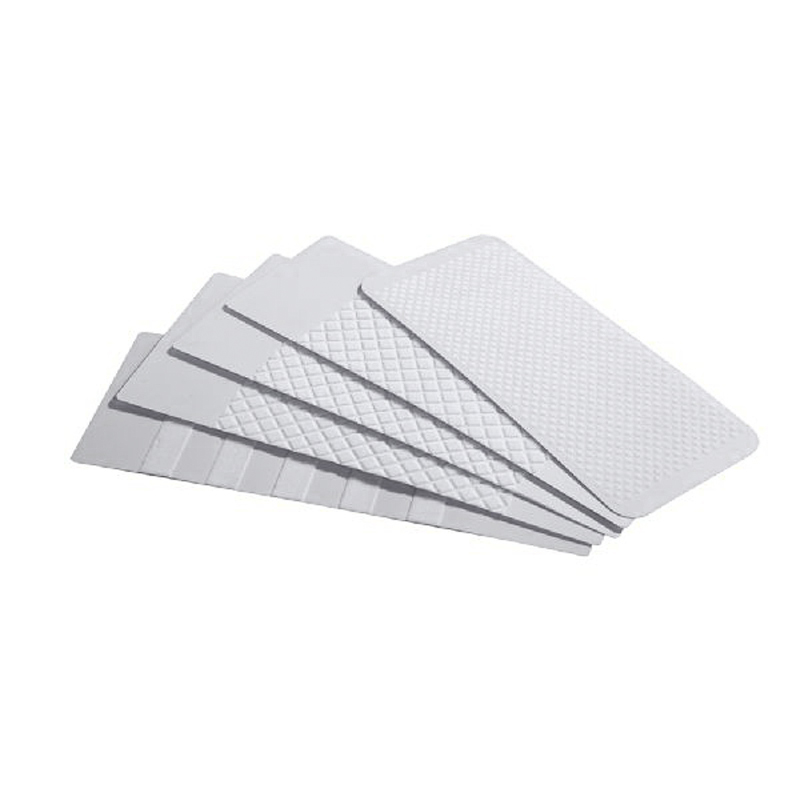
1. 프린터 유형 확인
올바른 프린터 청소 카드를 선택하는 첫 번째 단계는 보유하고 있는 프린터 유형을 확인하는 것입니다.. 프린터에는 크게 두 가지 유형이 있습니다.: 잉크젯과 레이저. 잉크젯 프린터는 액체 잉크를 사용하여 인쇄합니다., 레이저 프린터는 토너 파우더를 사용하지만. 각 프린터 유형에는 서로 다른 유형의 청소 카드가 필요합니다.. 그러므로, 청소 카드를 선택하기 전에 보유하고 있는 프린터 유형을 확인하는 것이 중요합니다..
2. 프린터 제조업체의 권장 사항을 확인하세요.
다음 단계는 프린터 제조업체의 권장 사항을 확인하는 것입니다.. 프린터 제조업체에서는 프린터 청소 방법에 대한 지침을 제공하는 경우가 많습니다., 사용할 청소 카드 유형 포함. 권장 클리닝 카드에 대한 자세한 내용은 프린터 설명서나 제조업체 웹사이트를 확인하세요..
3. 프린터 모델 고려
청소 카드를 선택할 때 프린터 모델을 고려하십시오.. 프린터 모델마다 청소 요구 사항이 다릅니다.. 예를 들어, 일부 프린터에는 청소 메커니즘이 내장되어 있습니다., 다른 사람들은 수동 청소가 필요하지만. 일부 프린터에는 특정 유형의 청소 카드가 필요합니다., 다른 사람들은 모든 유형의 청소 카드를 사용할 수 있습니다..
4. 올바른 유형의 청소 카드 선택
프린터 유형을 결정한 후, 제조업체의 권장 사항을 확인했습니다., 프린터 모델을 고려했습니다., 이제 올바른 유형의 청소 카드를 선택할 때입니다.. 청소 카드에는 두 가지 주요 유형이 있습니다.: 건조하고 습함. 드라이 클리닝 카드는 프린터 롤러 및 기타 내부 구성 요소에서 먼지와 잔해물을 제거하도록 설계되었습니다.. 습식 청소 카드는 프린터의 프린트 헤드를 청소하고 쌓인 잉크를 제거하도록 설계되었습니다..
5. 호환성을 찾아보세요
드디어, 청소 카드를 선택할 때 호환성을 확인하세요. 일부 청소 카드는 특정 프린터 모델용으로 설계되었습니다., 다른 것들은 다양한 프린터와 호환됩니다. 프린터 손상이나 보증 무효화를 방지하려면 선택한 청소 카드가 프린터와 호환되는지 확인하세요..
결론적으로, 프린터 모델에 적합한 프린터 청소 카드를 선택하는 것은 프린터 성능을 유지하고 수명을 연장하는 데 필수적입니다.. 다음 단계를 따르면, 올바른 청소 카드를 선택하고 프린터를 원활하게 실행할 수 있습니다..